

A business website is ready to launch when its key content is approved, its main visitor actions work, and owners are assigned to check the public version afterward. A polished homepage is not enough if a contact form goes to the wrong inbox, a phone number cannot be tapped, or a staging block keeps the site out of search.
Use a short list of complete journeys, not a collection of isolated screenshots. The website brief should define what was promised; this list helps accept the finished release.
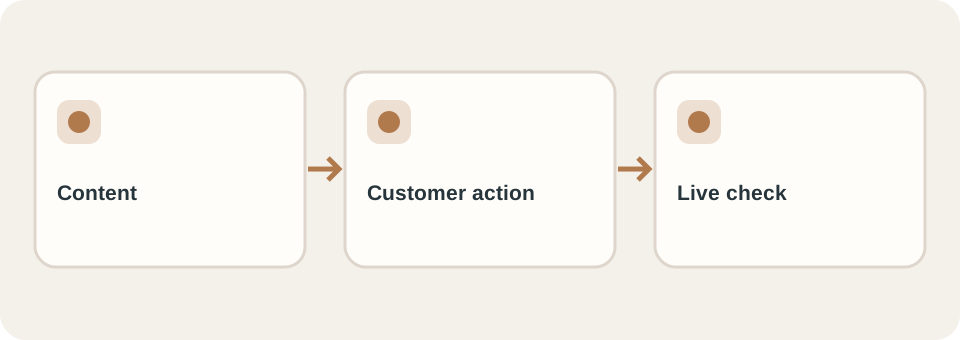
Before launch: follow a customer from entry to response
Pick two or three realistic tasks: find a service and ask a question; read a product detail and request a quote; switch language and reach the correct contact path. Test them on a phone and desktop, with a keyboard as well as touch or mouse. Check that the destination actually receives the message and knows who should reply. W3C’s easy checks are a useful first accessibility pass, but they are not a complete audit.
| Check | Evidence to keep | Owner |
|---|---|---|
| Content and links | Approved copy, image rights, no broken important paths | Business/content lead |
| Main action | Successful test enquiry and confirmation, with test data removed | Site and inbox owners |
| Mobile and keyboard | Main tasks completed without clipped controls | Tester and builder |
| Public discovery | Correct canonical, robots, sitemap and relevant page titles | Builder/SEO owner |
| Handover | Domain, hosting and editor access documented | Business and provider |
A launch gate can allow a small cosmetic issue while blocking a failed enquiry route. Write that decision down, along with who will fix it and by when.
At launch: check the real domain
The preview and production site can differ. Open the public domain over HTTPS, revisit the most important routes, submit a safe test enquiry, and verify that the destination receives it. Inspect robots.txt, sitemap, canonical URLs, language links, and any old-path redirects. Google’s SEO Starter Guide describes useful content and crawlable links, but being crawlable does not prove a page is indexed.
If analytics or consent controls are part of the agreed scope, verify their behaviour on the real domain without collecting unnecessary personal details. Make a note of what you could not verify; absence of data is not a passing test.
After launch: make one person accountable
Assign a contact for technical faults, content corrections and enquiries. Check messages during the first days, fix broken paths and review available search or analytics data later. A successful launch check does not guarantee traffic or sales. Preserve the checklist with dates and results so the next update has a baseline.
DT Software’s website service can be scoped around an agreed launch and handover. Send your required journeys, languages and current site details when asking for a quote; they determine which checks need to be included.