

Before requesting a website quote, write down the business goal, the visitor’s main action, the pages and content you expect, any required functions, who will supply and approve material, and the boundaries for launch. You do not need to choose a framework or draw every screen. You do need to show suppliers the same problem, so their proposals can be compared on scope instead of price alone.
A brief is a starting document, not a fixed technical specification. It should distinguish what you know from what a supplier must help you decide. If an answer is missing, write “needs discovery” and name who can make the decision; an invented answer creates a misleading estimate.
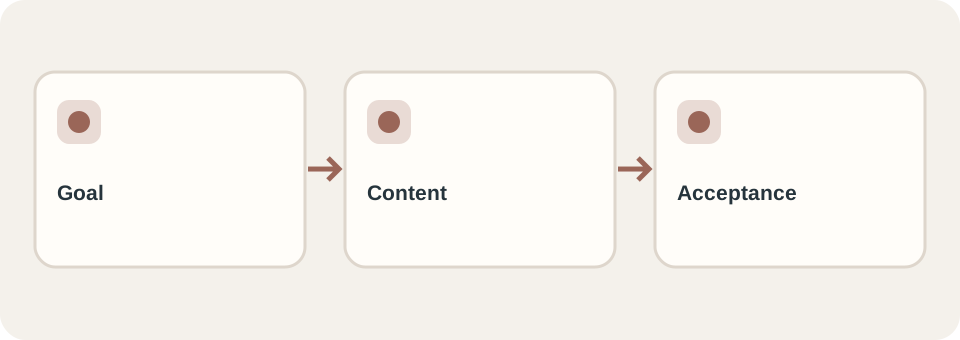
Start with one goal and one visitor action
Describe why the project exists in a sentence someone outside your business can understand. “Help prospective customers compare our three services and request a consultation” is easier to design around than “make the site modern.” Then identify the primary visitor, the question that brings them to the site, and the action they should take next. Different visitors can have different needs, but choose the priority journey for the first release.
Write the action as an observable event: a visitor reaches a relevant service page, finds the right contact option, and sends an enquiry; or a customer finds a product and requests details. A website can make that route clear and test that it works. It cannot, by itself, guarantee leads or search rankings. Google’s SEO Starter Guide describes discoverability and useful content without promising a first-place result.
If you already have a website, explain what is failing with a concrete example: “Customers cannot find the installation information on a phone” tells a supplier more than “the site feels old.” Include the current URL and any pages that must keep working.
Inventory pages, content, and the person responsible
List page types and roughly how many entries each needs. “Services” might mean one overview plus three distinct service pages. “Products” might mean a catalog with categories, item pages, search and ongoing updates. The visible menu labels alone do not establish the workload.
Use a small inventory like this before requesting a quote:
| Item | What to record | Status to send |
|---|---|---|
| Pages | Purpose and approximate count for each page type | Required for launch / later / undecided |
| Text | Existing copy, material to revise, and material to write | Ready / draft / not started; named owner |
| Images and brand | Usable logo, product photos, usage rights, brand references | Actual files or missing-assets list |
| Languages | Which pages need translation and who will review it | Required language plus reviewer |
| Old website | URLs, articles and files that should remain reachable | Inventory or “needs audit” |
Do not send a folder of unlabeled images and assume the provider will select, edit, license and caption them. State which party does that work. If the site will publish articles or products regularly, ask to see how a staff member will make a sample update after handover.
For a redesign, preserving existing public URLs deserves its own line in the brief. Google’s site-move guidance covers URL mapping and redirects when URLs must change; it does not mean every redesign needs new URLs. DT Software’s Lung Linh project is a real example of a catalog migration planned around product structure and public paths. Its requirements should not be assumed to apply to every new website.
Describe tasks and handoffs, not just feature names
“Contact form,” “booking,” and “shopping cart” hide important choices. For each required function, write who starts it, what they enter or select, what confirmation they see, who receives the result, and what happens if it fails. If an existing system is involved, name that system and the person who owns its account; access can be arranged securely after choosing a supplier. Do not put passwords or customer records in a brief.
For example, “Visitors choose a service and preferred date; our coordinator receives the request by email and confirms availability manually” describes a different project from “Visitors select a live appointment slot and receive an automated confirmation.” Both might be called booking. The workflow, not the label, determines the work to estimate.
Separate launch requirements from ideas for later. A filter that staff and customers genuinely need now belongs in the first scope. An optional member area can stay in a later phase. The supplier can then explain whether the proposed foundation supports that later phase and what might need rebuilding.
Make timing, ownership, and acceptance visible
A useful launch date has a reason: an event, a seasonal campaign, or a change to an existing service. Give the deadline and the dates by which your team can provide copy, images, account access and consolidated feedback. If those dates are uncertain, ask for a staged estimate rather than presenting an immovable launch.
Before comparing quotes, ask each supplier to state what is included and excluded: design rounds, content entry, translation, domain and hosting, third-party licences, testing, training, ongoing support, and later changes. Name the owner of the domain, hosting and agreed project assets, and how access and source material are handed over. The template-versus-custom guide explains why two website prices are only comparable when they cover the same work.
Replace broad acceptance phrases with checks a person can perform. For example:
| Broad phrase | Checkable version |
|---|---|
| “Works on mobile” | The agreed page types and contact journey can be completed on named phone viewport sizes, without cut-off text or controls. |
| “Easy to edit” | A named staff member can change a service description and publish it using the agreed access and instructions. |
| “SEO-ready” | Agreed pages have descriptive titles, crawlable content, internal links and a reviewed URL plan; indexing and ranking are not guaranteed. |
| “Accessible” | Agree which pages and workflows will be evaluated, against which standard, and who will fix issues found. |
Accessibility needs a scope and review method rather than a vague badge. W3C’s planning guidance treats accessibility as work across planning, design, development and maintenance.
Worked example: a fictional local service company
This is a fictional planning example, not a DT Software client or a quotation. A home-cleaning company wants customers to understand its three service types and request a visit. It has a logo and phone photos, but no approved service descriptions.
- Goal and audience: homeowners comparing regular, deep and move-out cleaning. Main action: request a callback about one service.
- First-release pages: home, three service pages, a short about page and contact details. A blog and online payments are later possibilities, not in the launch quote.
- Content status: owner supplies service facts and photos; copy needs drafting and approval. The quote must say whether the supplier writes, edits or only enters that copy.
- Function: a contact action that sends the selected service and contact details to the business. The supplier should specify whether it is a link, a working form, or another workflow, and how delivery will be checked.
- Timing and handover: the owner confirms a practical launch date after content is ready; domain ownership, editing access, training and support are named in the proposal.
- Acceptance: the owner can follow the service-to-enquiry journey on phone and desktop, receives a test enquiry at the agreed destination, and updates one service paragraph with the agreed instructions.
That example is more useful for estimation than “five-page website with a nice design.” It also exposes the unresolved copywriting and contact-delivery work before a price is treated as final.
Copy this one-page website brief
Copy the fields below into your own document. A short answer or “needs discovery” is better than a guessed specification.
Project and current website:
Business goal and reason for doing this now:
Priority visitor and their main question:
Main action the visitor should take:
Page types and approximate counts:
Existing text, images, brand assets, and usage rights:
Missing content and who will create/approve it:
Required languages and reviewers:
Required visitor/staff workflows (including error and confirmation states):
Existing systems, account owners, and integrations:
Important current URLs or data to preserve:
Must be in the first release / may come later:
Budget range or request for staged options:
Target date and reason; dates for content and feedback:
Who consolidates feedback and approves the result:
What each party will deliver; ownership and handover expectations:
Three observable checks that mean the site is ready:
Questions the supplier should investigate before fixing a price:
Send the same version to every prospective supplier. When proposals return, compare assumptions and exclusions line by line; ask for a revised scope if one supplier has priced a simpler workflow. If you want to discuss what kind of site fits the completed brief, DT Software’s website-development page shows its current offer and provides a way to start a project conversation. Its published packages have specific limits, so use the brief to confirm fit rather than assume any example price covers the whole project.