

Choose a call or messaging link when a conversation is enough, an enquiry form when staff need structured details before replying, and booking when available times can be confirmed reliably. The visible button is only the start. The real requirement is what happens after a visitor uses it.
A form does not automatically create a booking, and a “book now” button that only sends an email can mislead visitors. Write down who receives the request, when they respond, what the visitor sees, and how errors are handled before choosing a tool or asking for a quote.
Match the action to the information needed
| Need | Sensible starting action | Operational check |
|---|---|---|
| Quick question about a service | Phone or messaging link | Staff can answer in the advertised channel |
| Quote requiring project details | Short enquiry form | Fields are useful, message reaches the right inbox |
| Appointment at a specific slot | Booking flow | Availability stays current and confirmations work |
A clinic might need more careful privacy and scheduling requirements than a design studio. This table is a general scope example, not legal advice or a claim about any customer. Do not collect sensitive details merely because the form builder allows more fields.
Test the full response, including errors
For a form, label each field, explain what is required and show a clear confirmation. Try invalid input and a failed delivery path. W3C’s form guidance covers labels, instructions and feedback that help people complete forms. If the site only opens email, test that the address and subject are correct and provide another way to contact the business.
For booking, decide whether the visitor receives an instant confirmed slot or merely requests a preferred time. If staff must approve, say so. Check timezone, cancellations, capacity, reminders, and what happens when the calendar service is unavailable. These are separate scope items, not automatic features of a landing-page design.
Specify the flow before comparing quotes
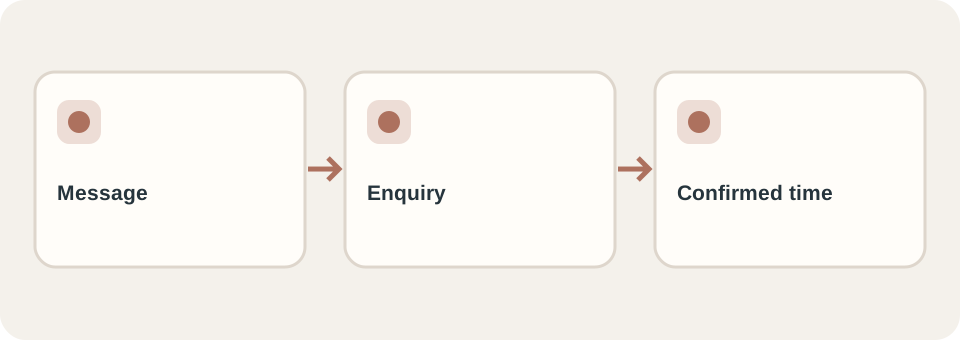
Describe a complete test: “A visitor chooses service A, submits a short request, sees a confirmation, and the assigned staff member receives enough information to reply.” For booking, replace the last part with a genuine confirmation only if the system can reserve the slot. Use the website brief to record required fields, owners and acceptance.
DT Software’s website service lists preset landing pages and custom work; backend forms are separate from the stated preset scope. Share the actual response workflow when enquiring so the quote does not treat a decorative button as a working system.