

Before redesigning an established website, list its important public URLs and decide which can stay exactly as they are. If a path must change, map it to the most relevant new page, implement a permanent redirect, update internal links and the sitemap, and test the result after launch. A new design does not itself require new URLs.
This matters for people who saved a link, documents that cite the old address, and search engines trying to understand where a page moved. Google’s site-move guide recommends preparing the new site, mapping old URLs to new ones, redirecting, and monitoring the move. It also warns that search visibility can fluctuate; no checklist guarantees unchanged rankings.
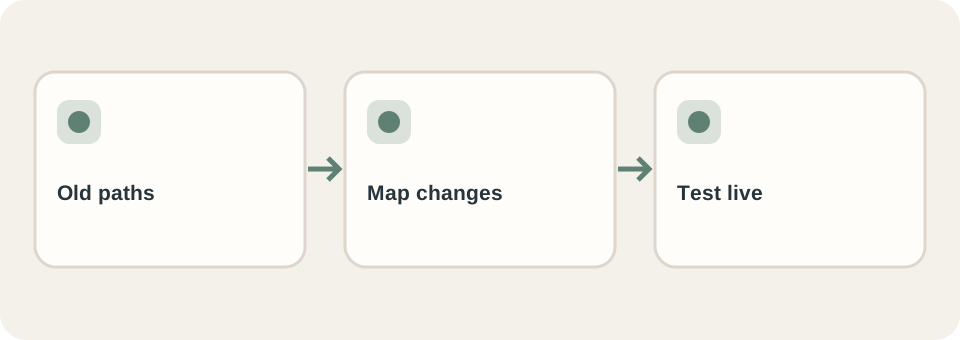
Make an inventory before drawing new navigation
Export URLs from the current sitemap, content system, analytics or server records if available. Add pages linked from emails, printed materials, partners, and social profiles. Record each page’s purpose, owner, current status, and proposed destination. Do not copy private customer data into the inventory.
| Old URL | Decision | Check |
|---|---|---|
/services/repair/ | Keep | Same useful service remains at the old path |
/products/model-a/ | Redirect to a close replacement | New page answers the same product question |
/old-promotion/ | Retire or explain | No misleading redirect to the homepage |
This is an illustrative inventory, not a DT Software client migration. For an actual site, review high-value pages one by one rather than sending every old path to the homepage. The Lung Linh project describes a real catalogue migration in which category structure and public URLs mattered.
Test the move as a visitor would
Before launch, crawl the staging build without letting it become an indexed public duplicate. Follow menus, search, related links, forms, images and downloadable files. After launch, request a sample of old URLs and confirm each redirect ends at a relevant live page without a chain or error. Check the new pages’ canonical addresses, sitemap entries and language versions. Google’s redirect documentation distinguishes permanent from temporary moves.
Assign an owner to review Search Console and real traffic after release if the business has access. A successful redirect response is a technical check, not proof that indexing or enquiries have recovered. Record what was measured and when.
Put migration work in the quote
A redesign proposal should state who creates the URL map, implements redirects, migrates content, checks images and files, and monitors issues after launch. Ask for a sample mapped row before agreeing. A redesign that keeps all paths may need much less migration work than one that changes content and domain together. The website brief helps specify these responsibilities before requesting quotes.
DT Software’s website service includes redesign work. Share the existing domain and a URL inventory when enquiring so the migration scope can be discussed honestly.